
In This Article
For independent oil change and quick lube shops, the inflection point is familiar: you go from comfortably handling 20 cars a day to somehow managing 35, and suddenly what used to work fine doesn’t. Service slows. Errors creep in. Your best tech starts carrying the whole shop on their back because the process only lives in their head.
That’s where purpose-built oil change business software comes in — not as a luxury, but as the structural backbone that makes scaling actually work.
“The chains aren’t beating independent shops on quality. They’re beating them on consistency. That’s a systems problem — and systems problems have systems solutions.”

Why Do Oil Change Operations Break Down at Higher Volume?
Short answer: Oil change operations break down at scale because the informal systems that work at low volume — verbal handoffs, manual tracking, memory-based consistency — collapse under pressure. More cars means more variables, and variables without structure become errors.
It’s rarely a talent problem. Your team cares, they’re experienced, and they know what good service looks like. The breakdown happens at the process level — specifically, when the shop’s “system” is really just a collection of habits that depend on whoever is working that day.
Here’s what that looks like in practice as car counts rise:
- Service times stretch during peak hours — not because techs are slow, but because check-in, communication, and checkout create bottlenecks that compound under volume.
- Process inconsistency between bays and technicians — customers get a different experience depending on who’s working, which quietly erodes trust over repeat visits.
- Mistakes multiply with team size — missed services, incorrect charges, and undocumented work happen more often when communication relies on sticky notes and verbal handoffs.
- Owner visibility disappears — as the shop gets busy, there’s less time to review what’s actually happening at a business level, making it harder to course-correct.
None of these are moral failures. They’re predictable outcomes of running a high-volume operation without the infrastructure to support it. The right quick lube software doesn’t replace your team’s expertise — it gives that expertise a reliable structure to work within.
How Does Oil Change Business Software Support Higher Operational Volume?
Short answer: Oil change business software supports higher volume by standardizing workflows, centralizing service information, and replacing manual steps with a single connected system — so the shop runs consistently regardless of who’s on shift or how many cars are in the bay.
Think of it this way: a franchise chain doesn’t run consistently because their employees are better. They run consistently because everything is documented, sequenced, and system-driven. An independent shop with the right ISI oil change software can operate with that same structural discipline — without sacrificing the personality and service quality that makes independent shops worth going to in the first place.
Specifically, oil change business software supports scale by:
- Standardizing work across every bay — digital service workflows guide technicians through the same steps from check-in to checkout, eliminating the “depends who you get” problem.
- Making service information instantly accessible — vehicle history, past invoices, and customer records are available in seconds rather than buried in a filing cabinet or locked in someone’s memory.
- Eliminating paper and manual tracking — electronic service records replace handwritten tickets, reducing the transcription errors and missed items that come with manual workflows.
- Keeping the front counter and bays aligned — shared visibility into service status means staff can answer customer questions confidently and accurately, without shouting across the shop.
What Software Features Help Keep Daily Operations Running Smoothly at Scale?
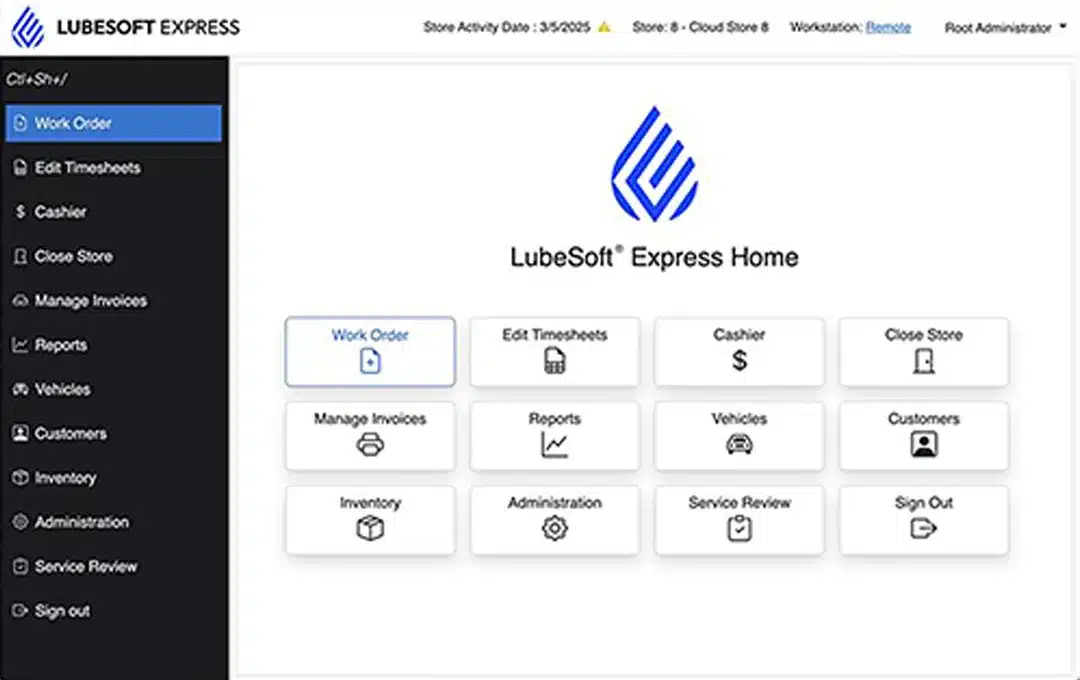
LubeSoft Express is built specifically for quick lube operations — not adapted from a generic shop management platform. Every feature is designed around the realities of high-volume oil change service. Here’s what matters most as your car counts grow:
- Quick Lube Point-of-Sale (POS) System
A purpose-built quick lube POS connects services, transactions, and payments in a single flow. Checkout moves faster, errors at the register drop, and the customer’s final impression is clean and professional. Explore the LubeSoft Express POS system to see how it reduces friction at every transaction.
- Vehicle History & Customer Records
When a returning customer pulls in, your tech should already know their vehicle, last service, and any flagged items — before they even step out of the car. Digital vehicle history and customer records make that possible. See how ISI Software manages customer and vehicle data.
- Shop & Sales Reporting Tools
You can’t manage what you can’t measure. As volume grows, gut-feel management stops working. LubeSoft Express reporting tools give you real visibility into service times, ticket averages, upsell rates, and operational performance — without building a spreadsheet from scratch every week.
- Employee Access & User Controls
Growing teams need clear roles. Employee access controls let you add staff, define permissions, and onboard new techs without disrupting existing workflows. Learn more about user management in LubeSoft Express.
Together, these features make LubeSoft Express a practical tool for shops that are actually growing — not just handling today’s volume, but building the foundation for tomorrow’s.
Frequently Asked Questions
How does oil change business software support higher daily car counts?
What features should I look for in oil change shop software?
What helps maintain consistent service during peak hours?
Can oil change software reduce operational mistakes as volume increases?
Is LubeSoft Express suitable for independent oil change shops?
How long does it take to implement oil change business software?
Ready to Stop Outgrowing Your Own Systems?
LubeSoft Express gives independent quick lube shops the tools to handle more cars, keep service consistent, and build the kind of operation that runs well whether you’re there or not.
Schedule a demo at ints.com/request-a-demo/ — see a live shop workflow in 20 minutes.